- Open Reason.
- Open the beat that you sent to me on Friday.
- Make sure you have all your parts Copied To Track.
- Highlight all your parts.

- Go to the Edit Window, Select Copy.

- Go to the Edit Window, Select Paste.

- Move the Right Loop Point to 33.
- Paste your parts until you get to the Right Loop Point.

- Save your beat.
- Write a blog post about the kind of lyrics that you like.
Monday, February 11, 2008
Putting Your Beat Into Song Format
Today we are going to start putting our beats into song format.


Friday, February 8, 2008
Friday Quiz 2/8
Today we're going to have a quiz on Song Writing.
The Listening Quiz will feature Webbie and Boosie performing Independent.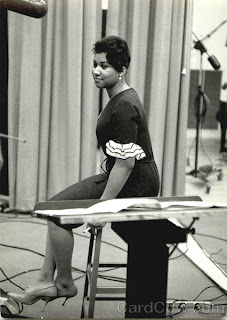
The Listening Quiz will feature Webbie and Boosie performing Independent.

- Open Reason.
- Create an M-Class Mastering Suite Combi
- Create a Mixer 14:2
- Create a Dr. Rex.
- Load a sound from either the Dr. Rex Instrument Loops or the Music Loops.
- Click To Track.
- Set your tempo to go with the Dr. Rex Loop.
- Create a Redrum.
- Make a 32 step drum pattern with...
- A clap, snap, or snare drum on 5 and 13
- A Bass Drum on 1 and a few other boxes
- At least two other sounds from the High Hat folder, Percussion Hi, Percussion Other, FX, or Glitch.
- Copy the Pattern to Track.
- Create one of the Soft Synth Instruments and the Matrix.
- On the Matrix make a melody with the volume up on between 3 and 7 notes that goes with the Dr. Rex Loop. Make the melody in either Octave 4 or 5.
- Copy Pattern to Track.
- Save as Your Name Friday 2/8
- Now choose the best beat that you made this week and send it to mrprice@ccpaedu.com
- Write a blog post about your favorite kind of beats.
Thursday, February 7, 2008
Making Beats
This week we've been talking about the different parts of a song, the Verse and the Chorus. Remember! The Chorus is where the main idea of the song is found as well as the title...it's the hook!. The Verse is where the details of the song are found, if a song is a story, then the verses are like chapters.
Today we are going to start out with something that is going to be on the quiz tomorrow. We're going to listen to this song and you are going to write down the order of the song sequence.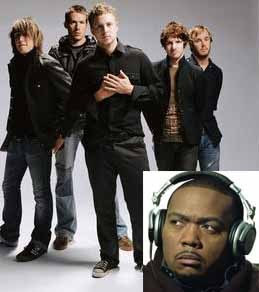
Today we are going to start out with something that is going to be on the quiz tomorrow. We're going to listen to this song and you are going to write down the order of the song sequence.

- Open Reason.
- Create an M-Class Mastering Suite Combi
- Create a Mixer 14:2
- Create a Dr. Rex.
- Load a sound from either the Dr. Rex Instrument Loops or the Music Loops.
- Click To Track.
- Set your tempo to go with the Dr. Rex Loop.
- Create a Redrum.
- Make a 32 step drum pattern with...
- A clap, snap, or snare drum on 5 and 13
- A Bass Drum on 1 and a few other boxes
- At least two other sounds from the High Hat folder, Percussion Hi, Percussion Other, FX, or Glitch.
- Copy the Pattern to Track.
- Create one of the Soft Synth Instruments and the Matrix.
- On the Matrix make a melody with the volume up on between 3 and 7 notes that goes with the Dr. Rex Loop. Make the melody in either Octave 4 or 5.
- Copy Pattern to Track.
- Save your beat as something that you will remember.
Wednesday, February 6, 2008
The Verse
In the last two classes, we talked about the Chorus, the catchy part of the song that is the central idea of a song.
Today we are going to talk about the Verse. The Verse is the part of the song where the story is told. Typically a Pop or Hip Hop song has 3 Verses that are each 16 bars long and separated by the Chorus...for example: Intro/Verse/Chorus/Verse/Chorus/Verse/Chorus/Outro
Today we are going to talk about the Verse. The Verse is the part of the song where the story is told. Typically a Pop or Hip Hop song has 3 Verses that are each 16 bars long and separated by the Chorus...for example: Intro/Verse/Chorus/Verse/Chorus/Verse/Chorus/Outro
- Go online and find a song that you like.
- Open your email, compose a new email, and answer the following questions.
- What is the title of your song?
- How many verses are in your song?
- Write the lyrics of the first verse.
- Does the title appear in the verse?
- How many lines are there in the first verse?
- How many bars are there in the verse?
- What are the different instruments you hear in the verse?
- Send your email to mrprice@ccpaedu.com
- Now, open Reason.
- Create an M-Class Mastering Suite Combi
- Create a Mixer 14:2
- Start with your Redrum Drumbeat.
- Make it either a 16 step or 32 step drum pattern with...
- A clap, snap, or snare drum on 5 and 13
- A Bass Drum on 1 and a few other boxes
- At least two other sounds from the High Hat folder, Percussion Hi, Percussion Other, FX, or Glitch.
- Copy the Pattern to Track.
- Create one of the Soft Synth Instruments and the Matrix.
- On the Matrix make a melody with the volume up on between 3 and 7 notes. Make the melody in either Octave 4 or 5.
- Copy Pattern to Track.
- Create a Dr. Rex and load a loop to go with your beat.
- Copy Pattern to Track.
- Add either another part using theDr. Rex or another Soft Synth with a Matrix using the lower octaves.
- Copy Pattern to Track.
- Save the beat in your folder as (Your Name) First Verse.
Tuesday, February 5, 2008
The Chorus Pt. 2
Finish up listening to your song from yesterday and email it to me. If you have already finished, follow the directions below to help you put together a beat.
MAKE IT MUSICAL!!!!!! ; )
One idea is to try to recreate the beat you were listening to yesterday. Another plan would be to think of an idea in your head and try to play it in Reason.
MAKE IT MUSICAL!!!!!! ; )
One idea is to try to recreate the beat you were listening to yesterday. Another plan would be to think of an idea in your head and try to play it in Reason.
- Make sure you sent your email to mrprice@ccpaedu.com
- Now, open Reason.
- Create an M-Class Mastering Suite Combi
- Create a Mixer 14:2
- Make a beat that would be the chorus of a song.
- Start with your Redrum Drumbeat.
- Make it either a 16 step or 32 step drum pattern with...
- A clap, snap, or snare drum on 5 and 13
- A Bass Drum on 1 and a few other boxes
- At least two other sounds from the High Hat folder, Percussion Hi, Percussion Other, FX, or Glitch.
- Copy the Pattern to Track.
- Create one of the Soft Synth Instruments and the Matrix.
- On the Matrix make a melody with the volume up on between 3 and 7 notes. Make the melody in either Octave 4 or 5.
- Copy Pattern to Track.
- Create a Dr. Rex and load a loop to go with your beat.
- Copy Pattern to Track.
- Add either another part using theDr. Rex or another Soft Synth with a Matrix using the lower octaves.
- Copy Pattern to Track.
- Save the beat in your folder as anything you want!
Monday, February 4, 2008
The Chorus
As of Friday we have learned the basics of how to make drum beats in Reason using the Redrum. Adding Loops from Dr. Rex. And creating melodies and bass lines using Soft Synths and the Matrix.
Today, we are starting a new section of the class. We will be turning our beats into full songs, converting them into mp3 format, and then posting them on our blogs.
But first we have to understand the different parts of a song. We will start with the chorus.
The chorus is the theme of a song, where the idea is delivered. Melodically, the chorus is the catchy, repetitious part of a song that you can sing along with. The chorus is also called the Hook because it's the part of the song that "hooks" you in. Lyrically, the chorus' job is to summarize the idea and emotion of the song in a general way and to hammer home its title.
The chorus is typically 8 or 16 bars long, which is 4 or 8 lines of lyrics.
The most important part for the chorus is to have the same melody and the same lyrics each time the chorus is repeated.
Today, we are starting a new section of the class. We will be turning our beats into full songs, converting them into mp3 format, and then posting them on our blogs.
But first we have to understand the different parts of a song. We will start with the chorus.
The chorus is the theme of a song, where the idea is delivered. Melodically, the chorus is the catchy, repetitious part of a song that you can sing along with. The chorus is also called the Hook because it's the part of the song that "hooks" you in. Lyrically, the chorus' job is to summarize the idea and emotion of the song in a general way and to hammer home its title.
The chorus is typically 8 or 16 bars long, which is 4 or 8 lines of lyrics.
The most important part for the chorus is to have the same melody and the same lyrics each time the chorus is repeated.
- Go online and find a song that you like.
- Open your email, compose a new email, and answer the following questions.
- What is the title of your song?
- Write the lyrics of the chorus.
- Where does the title appear in the chorus?
- How many lines are there in the chorus?
- How many bars are there in the chorus?
- What are the different instruments you hear in the chorus?
- Send your email to mrprice@ccpaedu.com
- Now, open Reason.
- Create an M-Class Mastering Suite Combi
- Create a Mixer 14:2
- Make a beat that would be the chorus of a song.
- Start with your Redrum Drumbeat.
- Make it either a 16 step or 32 step drum pattern with...
- A clap, snap, or snare drum on 5 and 13
- A Bass Drum on 1 and a few other boxes
- At least two other sounds from the High Hat folder, Percussion Hi, Percussion Other, FX, or Glitch.
- Copy the Pattern to Track.
- Create one of the Soft Synth Instruments and the Matrix.
- On the Matrix make a melody with the volume up on between 3 and 7 notes. Make the melody in either Octave 4 or 5.
- Copy Pattern to Track.
- Create a Dr. Rex and load a loop to go with your beat.
- Copy Pattern to Track.
- Add either another part using theDr. Rex or another Soft Synth with a Matrix using the lower octaves.
- Copy Pattern to Track.
- Save the beat in your folder as (Your Name) First Chorus.
Friday, February 1, 2008
Bass Line Quiz
Today we will have a quiz covering what we learned this week, bass lines and moving the Octave switch down on the Matrix.
- Open Reason
- Make sure you have a Mixer 14:2
- Set Tempo between 70-110 bpm
- Create a Redrum.
- On Pattern 1, make a 16 step drum beat using a Clap, Snap, or Snare, Bass Drum, and two sounds from the Hi Hats, Percussion Hi, Percussion Other, FX, or Glitch.
- Copy the Pattern to Track between the loop points L1-R3.
- Move your loop points to L3-R5
- Select Pattern 2 and make a 32 Step Drum Beat.
- Copy the Pattern To Track and move the loop point L back to L1.
- Create any one of the"Soft Synths" (Combinator, Subtractor, Malstrom, NN19, or NNXT)
- On The Soft Synth, click on the folder in the upper corner.
- Go to the Patches Folder in Reason Factory Sound Bank and select a Bass for your Soft Synth.
- Create a Matrix so that we can hear the sound coming out of the Soft Synth.
- On the Matrix, move the Octave down, on the left from the keyboard, from 3 to 2.

- Now, turn the Volume down on all the notes except the first step.
- Create a rhythm with the steps on the Matrix that is similar to your Bass Drum.
- Change the pitch of the notes on the Matrix to make a Bass Line.
- After you have your bass line and you are happy with the sound, move the Right Loop Point to R3.
- Copy Pattern To Track.
- Now, move your Right Loop Point to R5 and your Left Loop Point to L3.
- On the Matrix, move from Pattern 1 to Pattern 2.
- On the Matrix, change the steps from 16 to 32.
- Now, turn the Volume down on all the notes except the first step.
- Think about which steps you used in Pattern 1, in Pattern 2 you want to use similar steps but make a different Bass Line.
- When you have your bass line sounding good, Copy Pattern To Track.
- Move your Left Loop Point to L1.
- Create a Dr. Rex, load in a Dr. Rex Percussion Loop and select To Track.
- Save your beat as (Your Name) Bass Line Quiz
- Email your beat to mrprice@ccpaedu.com

Subscribe to:
Posts (Atom)